


Login Into Tender Uploading Systen
Instructions for Users to Login into Tender Uploading System
Click on the Login button given below to go to login page. A Login Form as shown below will be displayed:
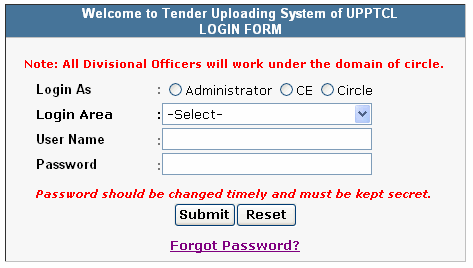
Select One of the Following Options for which you want to login:
Administrator: To Login as Administrator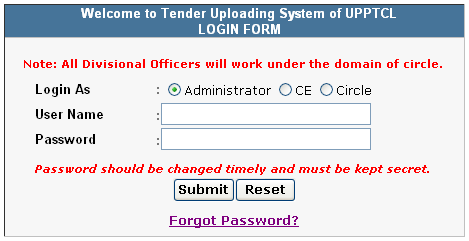
Director: To Login as Director
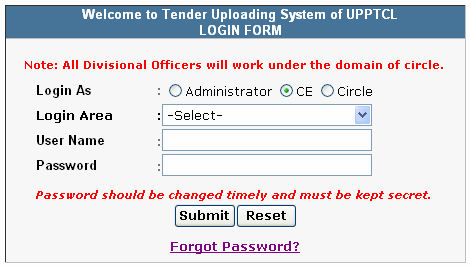
CE: To Login as Chief Engineer
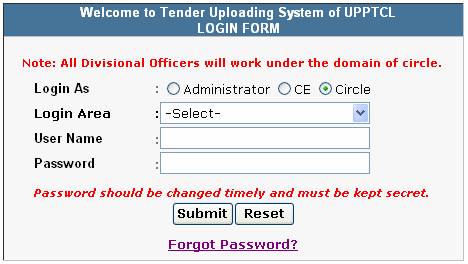
Select Login Area for which you want to login, after selecting the option given above. There is no need to select login area for Administrator
Type your User Name and Password. User Name and Password are not case-sensitive
Click on Submit button to Login. If all the information provided are correct user logins successfully otherwise proper message is displayed.
Links to Logout and Change Password are given in top-right corner after successful login and looks like as shown below:

It is recommended that you change your password after first login. Password should be changed timely to maintain security and must be kept secret. To change your password click on Change Password.
It is strongly recommended to Logout after you have performed the activities for which you have logged in.
In addition to Other Links, Three Links have been provided at bottom of the screen after successful login and are explained below:
Download PDF Converter

To download PDF Converter to convert your Word/Excel/Other document into PDF format.
As only PDF Format is allowed for Uploading Tender Notices, Documents and Corrigendum.
How to Convert into PDF - Help Manual

To download Hindi Font that has been used in Tender Uploading System.
Download User Manual

To download User Manual for using this Tender Uploading System. It is strongly recommended that you download this user manual, take a printout and read it thoroughly before using Tender Uploading System.